
![[AddonFlare] XF2 Moods](/data/resource_icons/1/1154.jpg?1720149240)
- XF Compatibility
- 2.2.x
- Short Description
- Introduce moods for XF2! Set and share user moods, featuring quick setup with gallery import. Enhance forum fun and interactivity, perfect as a perk for paid upgrades. Import images via upload or gallery, customize mood display in postbit & profiles. Lightweight code ensures no additional queries, auto sorts by title.
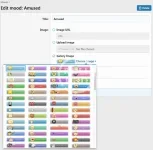
Introducing moods for XF2!
Allow users to set and share their current mood with everyone.
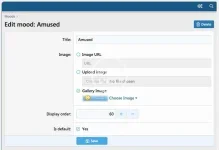
Add mood images by uploading, URL, or selecting an image from the gallery.
Quick setup with gallery import to import all moods from a directory.
At a glance
- Make your forum more fun and interactive
- Offer as a perk to incentivize paid upgrades
- Quick and Easy setup
- Give your users something to talk about
- Create new moods (upload image, gallery image, or URL)
- Gallery import
- Lightweight code with no additional queries
- Users can set their mood from any page without having to reload the page (via AJAX)
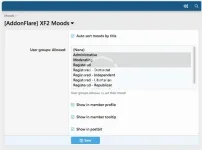
- User group permissions for who is allowed to set their mood
- Show moods in postbit (multiple locations or custom)
- Show moods in user profile & user tooltip
- Set the default mood for new users
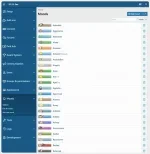
- Auto sort moods by title
- Show mood changer in visitor menu or as an icon (next to the alerts bell)
Import from gallery instructions:
- After installing the add-on, upload all the images you want to import to this directory: /data/addonflare/moods/gallery
- Go to AdminCP -> Moods -> List all moods -> Gallery import (top right in dropdown menu)
- Click "Proceed" and enjoy!


![[AddonFlare] XF2 Awards System](/data/resource_icons/0/762.jpg?1720149240)
![[AddonFlare] XF2 Ignore/Block Essentials](/data/resource_icons/13/13725.jpg?1720149306)
![[AddonFlare] (AJAX) Advanced Forum Stats](/data/resource_icons/0/800.jpg?1720149240)