Move Bookmarks Menu

Move Bookmarks Menu 1.0

Register or Log in for Free Download
XF Compatibility
  1. 2.2.x
Short Description
Admin control panel add-on for customizing bookmarks menu location. Easily move or link it with other user accounts, icon-style, via admin.php?options/groups/moveBookmarks.
03202128_22.webp

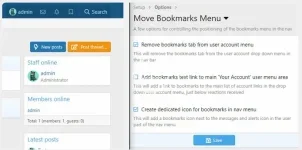
This is a small add on that will give the admin various additional options to control the location of the bookmarks menu in the nav bar.

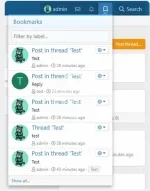
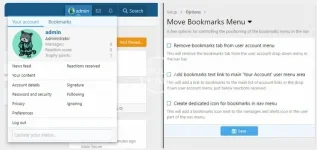
You can remove the tab version completely, you can add a link where all the other user account links are, and you can add it to the main user area of the nav in the form of an icon, similar to the conversations and alerts icons.

How do I configure it?
All checkbox options can be found in admin.php?options/groups/moveBookmarks/

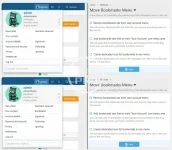
What does it look like?
03202128_23.webp
03202128_24.webp
03202128_25.webp
Author
anne51
Views
537
Extension type
zip
File size
14.7 KB
First release
Last update
Ratings 0.00 star(s) 0 ratings
Link was Broken? Send message to the Website Team and we will assist you quickly!
Support Developer If you are satisfied with the test or your project has earned you money, Click the More Information button to support the developer by purchasing.

More resources from anne51

Finovate – Financial Advisors & Business Consulting WordPress Theme A
Finovate is a meticulously crafted theme designed for financial advisors, wealth managers etc
Social Engine Pro / Social Engine : Schedule Social Media Posts Pro A
Organize, schedule and automate the publishing of your content and photos on social accounts.
Abandoned Cart Pro for WooCommerce  By Tyche Softwares A
Abandoned carts are not only a revenue-related issue but a hard-to-understand puzzle

Similar resources

[OzzModz] Editor Image Menu Button Remover A
Allows to remove unnecessary buttons from BB-code editor image edit menu
AndyB Remove visitor menu links A
Removes News feed, Reactions received and Your content links in visitor menu.
Back
Top