开灯和暗模式切换

开灯和暗模式切换 1.1.2

No permission to download
XF Compatibility
  1. 2.2.x
添加一个图标以轻松切换亮暗模式样式,并包含一些额外功能。注意:暗模式或其他样式未包含!为了UI.X风格的兼容性,请通过私信联系我。实时演示https://www.synoforum.com特点:
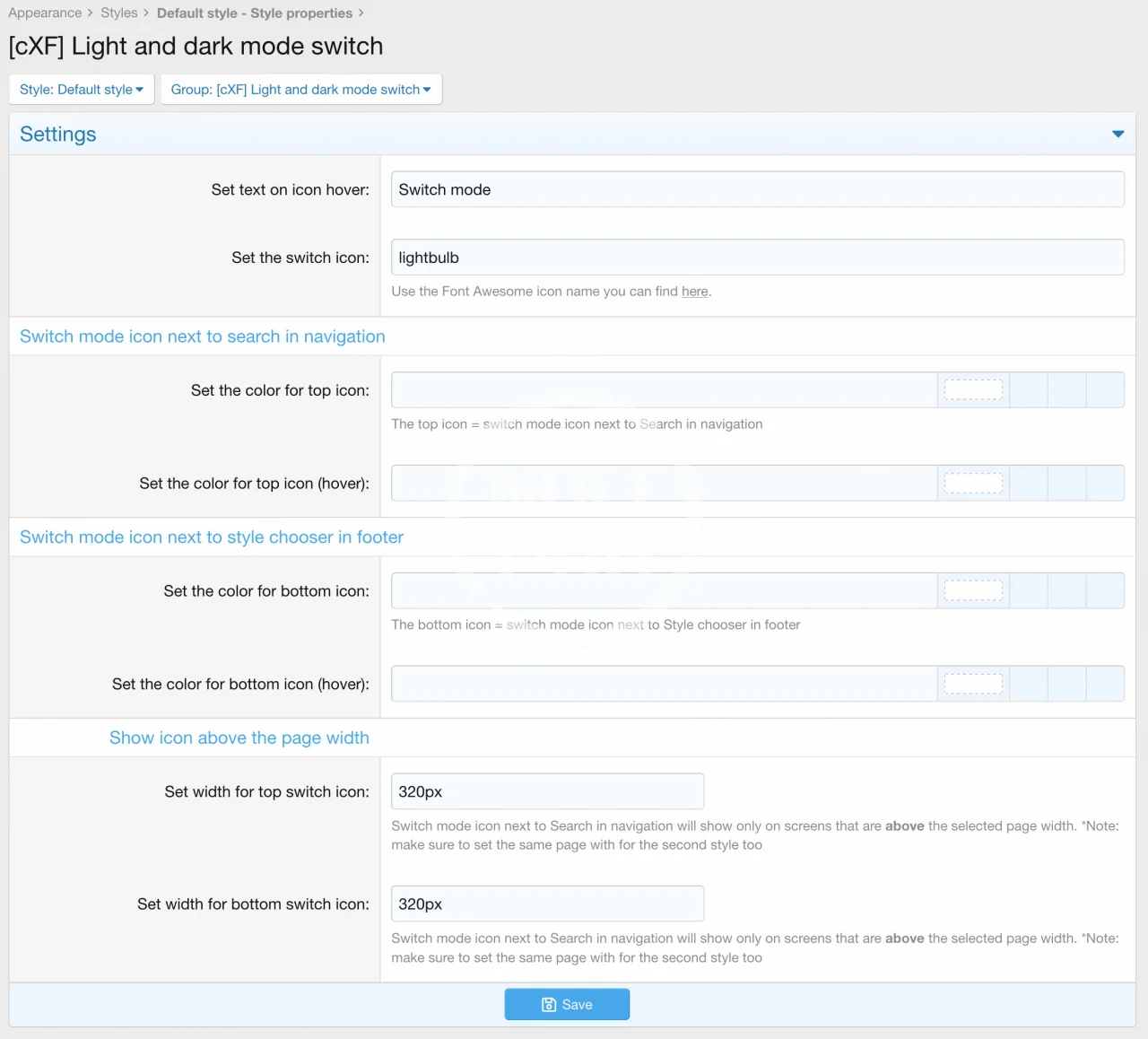
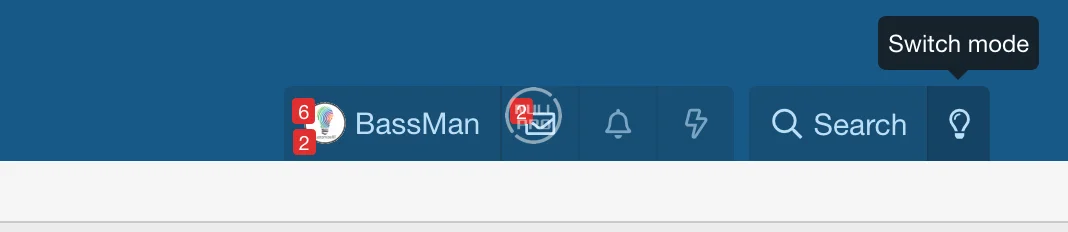
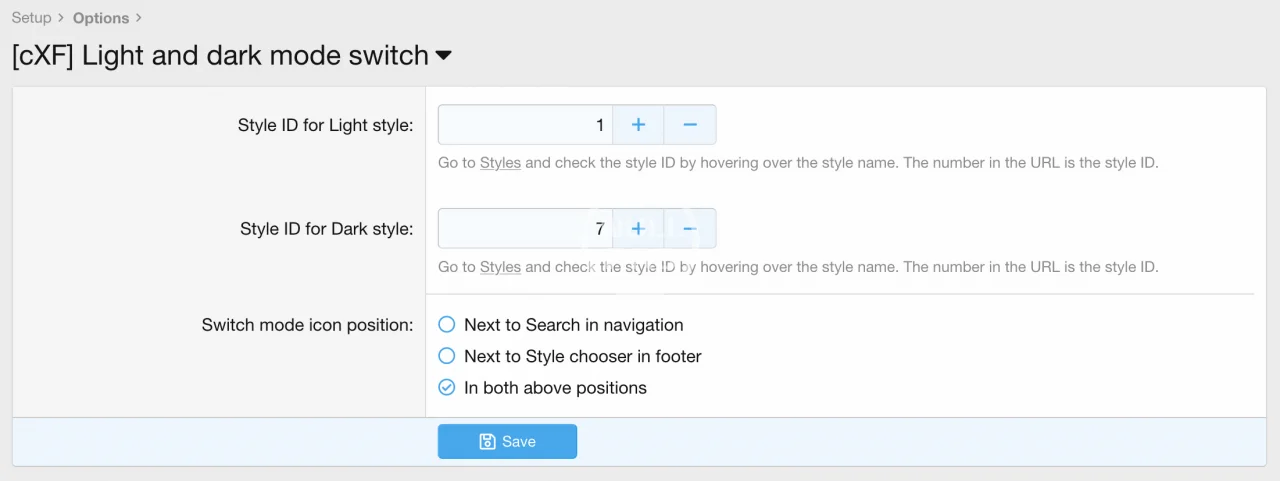
  • []设置选项中的亮暗风格ID[]设置开关图标位置(导航栏旁边,Footer旁边或两者都放)[]*开关模式基于权限(您可以为某些组启用/禁用开关模式)[]设置每种风格(如轻模式、暗模式)的图标悬停文本[]设置每种风格的图标[]设置导航和页脚位置的图标颜色和悬停颜色分别设定[]设置页面宽度(低于选定的页面宽度,顶部和底部的切换图标将不会显示)
如何设置它:
  1. []设置此插件的用户或组权限为是[]前往选项>亮暗模式切换设置样式ID(针对亮色和暗色风格)[]设置位置到选项中[]前往Light风格和Dark风格的样式属性并根据需要进行定制
  • ldms_options.webp
    ldms_options.webp
    22.2 KB · Views: 0
  • ldms_permissions.webp
    ldms_permissions.webp
    10.8 KB · Views: 0
  • ldms_sp.webp
    ldms_sp.webp
    59.2 KB · Views: 0
  • ldms_top_icon.webp
    ldms_top_icon.webp
    7.9 KB · Views: 0
Author
hellobut
Views
714
Extension type
zip
File size
20 KB
First release
Last update
Ratings 0.00 star(s) 0 ratings
More resources from hellobut
porto | 多用途 & WooCommerce 主题
Porto WordPress 是一个终极的企业及 WooCommerce WordPress 主题
Mailpoet Premium
Mailpoet Premium
更好的电子邮件为WordPress网站。

Latest updates

  1. changelog

    minor editing of the description of options in the style properties.
  2. changelog

    CHANGE: style ID of the switched style is set in the style properties
  3. 1.0.3

    changed template modification to work with regular expression (better compatibility with some...
Back
Top