Ticksify - Customer Support Software for Freelancers and SMB
Nulled 

Ticksify - Customer Support Software for Freelancers and SMB 1.3.1 Nulled

Register or Log in for Free Download
Lv.12
Bronze Member
Iron Member
Joined
Sep 11, 2021
Messages
3,354
Reaction score
920
Credits
$3,828
thanks to dear member @richard submitted a new resource:

Ticksify - Customer Support Software for Freelancers and SMB - Ticksify is a simple, self-hosted and easy-to-use customer support application built

View attachment 45323
Download Ticksify - Customer Support Software for Freelancers and SMBs Nulled Free CodeCanyon 398765
Ticksify is a simple, self-hosted and easy-to-use customer support application built with Laravel, Livewire, and Tailwind CSS. It is a fully responsive and mobile-friendly application. A perfect solution for small and medium-sized businesses to manage their customer support. It is a great alternative to other expensive customer support software like...

Read more about this resource...
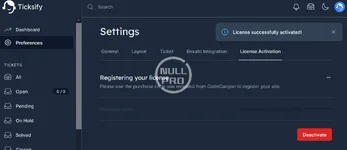
 
Tested and Nulled:
Enter code 422a359a-2702-4208-a5e4-2f7028e64998 to continue
note::
1.change .env with your information
2.run artisan migrate
3.if your website can not import database ,you can download default sql from here

Admin account login credentials:
02202328_01.jpg
 
thanks to dear member @netman updated Ticksify - Customer Support Software for Freelancers and SMB with a new update entry:

changelog

New Features:
  • Added ability to export user data as CSV.
  • Added ability to view Envato license information.
  • Added ability to upload an avatar for users.
  • Added ability to sort tickets by activity.
Bug Fixes:
  • Fixed wordbreak issue on ticket content in user view.
  • Fixed auto-assignment bug when no agent is added to product assignees.

Read the rest of this update entry...
 
thanks to dear member @richard updated Ticksify - Customer Support Software for Freelancers and SMB with a new update entry:

changelog

Installation Notes:

- Create/setup a new database
- Import 'database/data/ticksify.sql'
- Edit .env, update database credentials
- Upload all files to the root folder of your website
- SHH/Terminal to the folder, eg. cd /var/www/vhosts/yourwebsite/httpdocs
- Run the following commands:

composer install

php artisan key:generate

php artisan migrate

php artisan serve

Read the rest of this update entry...
 
Back
Top