

Description:
Delete posts by keywords.
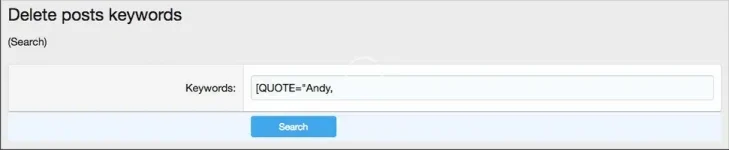
This add-on is designed for admins to be able to delete posts by keyword. This add-on is very useful for deleting quoted posts of a member.
Features:
Delete posts by keywords.
This add-on is designed for admins to be able to delete posts by keyword. This add-on is very useful for deleting quoted posts of a member.
Features:
- Physically deletes all posts which contains keywords in the message.
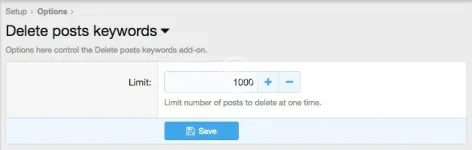
- Option to limit the number of posts to delete at one time.
- All phrases start with deletepostskeywords_ for your convenience.
- Download Andy-DeletePostsKeywords-1.0.zip and unzip it.
- Copy the src/addons/Andy/DeletePostsKeywords directory to your server.
- From the Admin Control Panel Install the add-on.
- Set the Administrative user group to Yes.
- Make sure you're a Super moderator and have all permissions.
- Enter "deletepostskeywords" after the root portion of your forum URL.
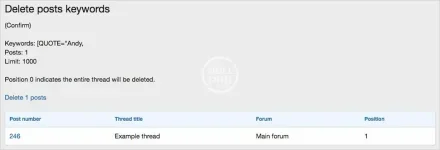
- Confirm the post that will be deleted and click the Delete X posts link.


![[AndyB] Delete profile posts all](/data/resource_icons/9/9947.jpg?1725664232)
![[AndyB] Delete posts banned](/data/resource_icons/9/9999.jpg?1720149285)
![[AndyB] Delete posts cli](/data/resource_icons/23/23077.jpg?1734064930)